


The iPhone Fitness app is used to monitor workouts and steps, and its reliability is doubted. At times, the figures are correct; at others, they appear out of place. Therefore, this prompts fitness enthusiasts to ask themselves: How accurate is the Fitness app on iPhone, and does it also track calories?
To answer that, this article explains how the iPhone Fitness app measures activity and what you can rely on for real results. It also explores how the app works to assess its accuracy and determine whether it can serve as a dependable solution.
In this article

Part 1. How Accurate is the Fitness App on iPhone for Step Counting?
To know how accurate the Fitness app on iPhone is, you need to understand how its tracking methods work. The app relies on an inbuilt accelerometer and another sensor, a gyroscope, to capture step patterns. The accelerometer measures movement and speed, while the gyroscope measures rotation and orientation.
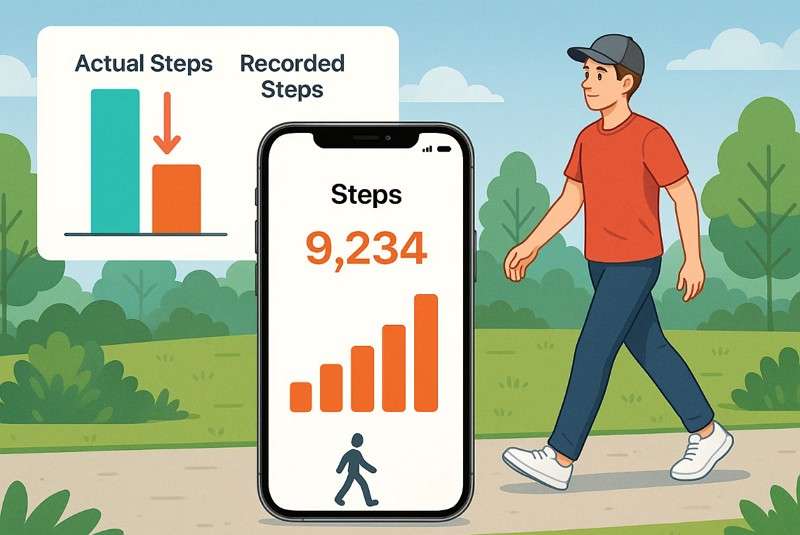
Another sensor in the app, accompanying the accelerator, is the barometer, which detects changes in altitude, e.g., when going up or down stairs or mountains. Therefore, high-level algorithms in the iPhone Core Motion framework process the accelerometer and gyroscope data.
Accuracy of iPhone's Step Counting
To further know how accurate the iPhone Fitness app is, here are some results from recent studies. So, review them and see if you can rely on this app to track steps.
- iPhone step count stays within 5–10% of fundamental steps in daily use.
- Controlled tests show 2–6% error when the phone stays in a pants pocket.
- Pants pocket placement gives about 3% error compared to manual counts.
- Handbags or backpacks may raise the error to 10–15% due to weaker motion detection.
Accuracy Comparison Table: iPhone vs Pedometers vs Wearables
For those who are still confused, review the listed table where the Fitness app is compared with the Pedometers and wearable devices:
| Device/Method | Typical Error Rate | Best Accuracy (Lab) | Notes |
| iPhone (In Pocket) | 2–10% | ~3% | Slight undercount for short walks; accuracy drops if carried in a bag |
| Clip-on Pedometer | 1–8% | ~2% | Most accurate when firmly clipped at the waist; less reliable elsewhere |
| Apple Watch (Wrist) | 1–5% | ~2% | Highly reliable; continuous tracking even during short movements |
| Fitbit (Wrist) | 2–6% | ~3% | Slight overcount of steps in some arm-motion activities |
| Smartwatch (Other Brands) | 2–10% | 3–6% | Varies by sensor quality and wear location |







Part 2. How Accurate is the Fitness App on iPhone for Heart Rate Monitoring?
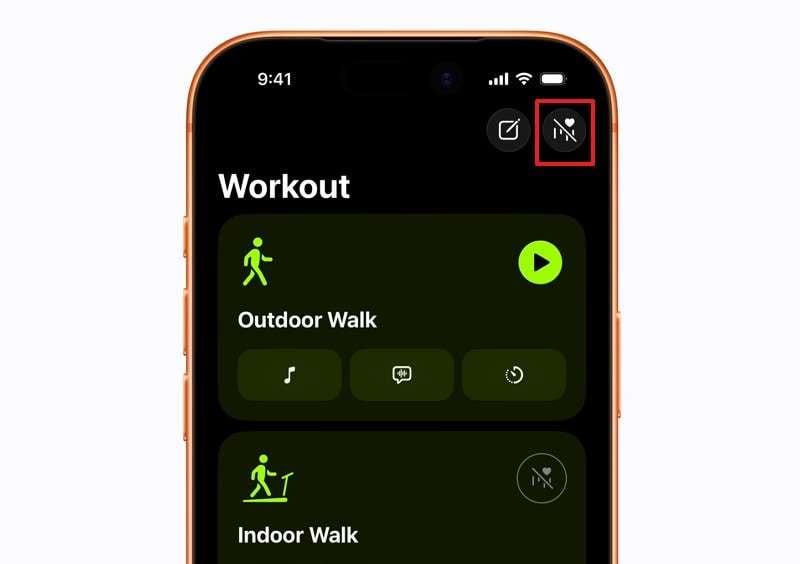
If you ever question how accurate the iPhone Fitness app for heart rate monitoring is, know that it's different from step counting. The Fitness app on iPhone checks heart rate only through connected devices like an Apple Watch or AirPods Pro 3, not through the phone itself.
Apple Watch: The Apple Watch uses optical heart rate sensors with green LED lights and photodiodes. This measures blood flow at your wrist and can take background readings throughout the day.
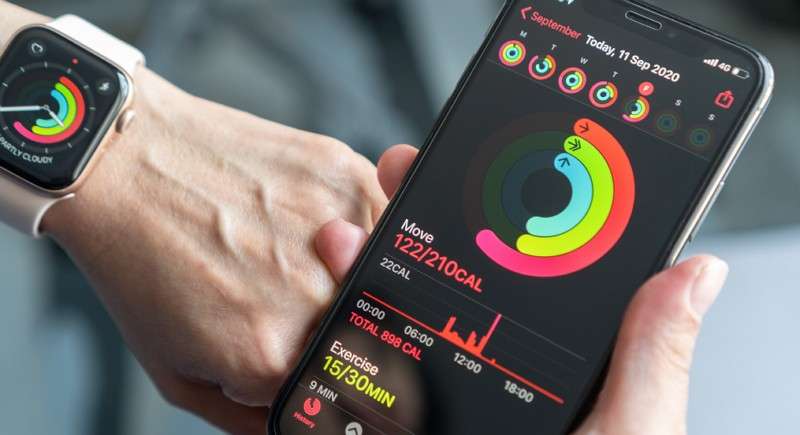
AirPods Pro 3: These earbuds can also track your heart rate during workouts and send the data to your iPhone. AirPods Pro 3 uses special PPG sensors that emit invisible light 256 times per second to measure blood flow in your ear. Additionally, heart rate data works even with one AirPod in either ear.
Factors Affecting Heart Rate Monitoring Accuracy
While knowing how accurate fitness on iPhone is, here are some of the factors that can affect the accuracy:
| Factor | Impact Level | Simple Explanation |
| Sensor Placement & Fit | Very High | Loose watches or poorly fitted earbuds weaken contact and cause wrong readings. |
| Movement or Activity Type | High | Fast or jerky motions disrupt optical sensors more than steady walks or calm activity. |
| Skin Tone, Tattoos, Hair | Moderate | Dark skin, tattoos, or thick hair can absorb light, reducing sensor accuracy. |
| Ambient Light or Temperature | Moderate | Bright light or cold skin can reduce blood flow and lower PPG accuracy, especially with camera apps. |
| Device Hardware or Model | Moderate | Newer sensors with green and infrared LEDs show better accuracy, like those in AirPods Pro 3. |
| Cases or Accessories | Mild | Bulky covers or sweatbands may block sensors or reduce skin contact. |
| User Calibration or Setup | Mild | Proper setup and correct wrist detection help reduce accuracy issues. |
| Software or Algorithm Updates | Mild–Moderate | New updates help remove noise and sharpen heart rate detection. |
Part 3. How Accurate is the Fitness App on iPhone for Calorie Tracking?
When answering the Is the Fitness app on iPhone accurate question. Calorie tracking is another concern for fitness enthusiasts. So, review the listed points to understand how this application tracks calories and how it compares in terms of accuracy:
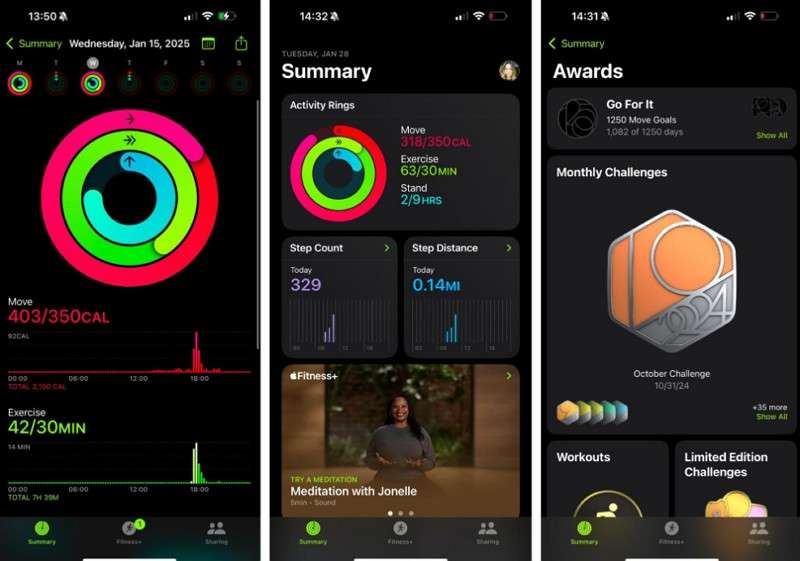
Personal Details: The app uses your age, sex, height, weight, and wheelchair status from the Health profile to estimate how much energy your body needs.
Motion and Sensor Data:
- iPhone Only: It uses the accelerometer, gyroscope, and barometer to measure steps, distance, and climbing to estimate active calories.
- With Apple Watch: Extra data, such as heart rate, GPS, and movement intensity, helps create a more accurate calorie estimate.
Basal vs Active Calories: Leveraging advanced algorithms and sensors, here are two types of calories that this Fitness app calculates:
- Basal calories are the energy your body uses at rest based on your personal details.
- Active calories are extra energy your body uses through movement or exercise, and the app shows both.
Accuracy Comparison: Fitness App vs Calorie Trackers
On the quest for "Is the iPhone Fitness app accurate?" Users often confuse its calorie tracking with that of manual apps. However, its functionality differs: it only counts calories burned rather than providing an estimated calorie count for food. So, review the listed table for better clarity and compare its accuracy and working with calorie-counting apps:
| Method | How Calories Are Tracked | Typical Error Range | Key Considerations |
| iPhone Fitness App (With Watch) | Measured via step count, heart rate, GPS, and user profile info | 18–40% error, higher for non-cardio activity | Accurate for walking/running, less so for strength, cycling |
| iPhone Fitness App (No Watch) | Steps, distance, and phone motion sensors | 20–40% error, often undercounts | No heart rate, less accurate in non-walking movement |
| Calorie Tracker | User logs all foods/meals (CalBye, LoseIt, etc.) | 10–30% error, user-dependent | Relies on user accuracy; database values may vary |
| Manual Calculation (BMR + Activity) | User estimates basal calories + exercise burn | 15–35% error, depends on assumptions | Requires honest activity estimation, may not reflect reality |
How AI Calorie Trackers Outperform Fitness Apps
Now that you know whether the iPhone Fitness app is accurate, remember that you may also need to track food calories alongside calories burned. In this regard, fitness apps fail, and trackers like CalBye offer AI-powered assistance. This application allows users to capture an image of food or upload it from the gallery to have a quick calorie count report.
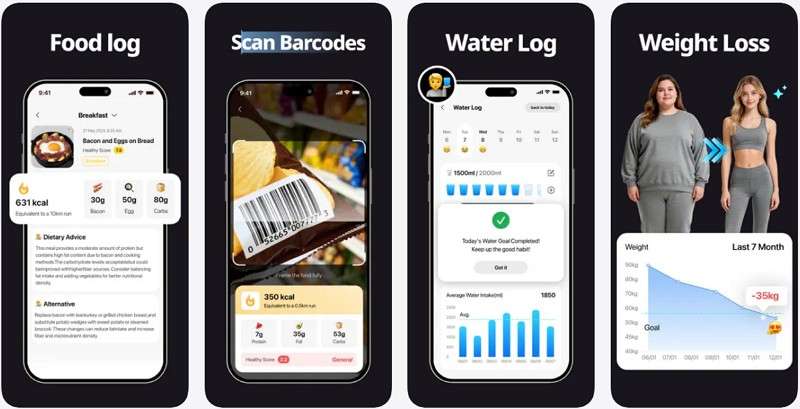
It can also sync with sports watches, such as the Apple Watch, and calculate a value based on the difference between calories consumed and calories burned. Thus, this manual tracker is an ideal substitute for the Fitness app for iOS users. Besides, its AI provides a one-on-one chat facility where you can interact and get detailed calorie insights.
Key Features
- Barcode Scanner: It includes a barcode scanner for tracking calories from packaged foods.
- Monitor Progress: In the My Achievements tab, you can see whether you have achieved the set weight goal.
- Nutrient Tracker: The app allows users to extract data on micro- and macro-nutrients just by taking an image of food.
- Highly Secure: This tracker lets you log in only with BMI details, not personal data, making it the most secure option of all.
- Log Food Suggestions: While getting the calorie details, the app offers suggestions and dietary advice that users can log for future access.
Part 4. How Accurate is the Fitness App on iPhone for Distance and Activity Tracking?
If you question whether the Fitness app on iPhone is accurate in terms of distance and activity tracking, the results can vary. This means that distance and activity measurements can vary, especially without an Apple Watch or additional sensors. iPhone step counts are usually within 5–8% of manual counts or pedometer readings, making them reliable for tracking overall daily activity.
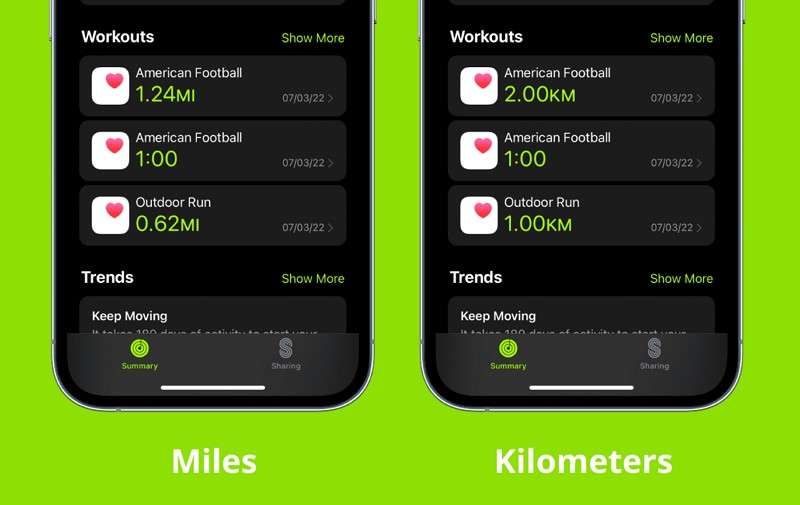
Whereas in terms of distance tracking, it's less accurate because the app uses an average stride length. Studies have shown that the iPhone can overestimate distance by 20–43% when stride length or walking speed deviates from the average. However, with GPS and proper setup, especially using an Apple Watch, distance tracking improves. Still, some errors may occur due to route, signal quality, or initial calibration.
Summary of Accuracy
| Tracking Type | Typical Error Range | How It’s Measured | Influencing Factors |
| Step Count | 5–8% | Accelerometer, gyroscope | Where you carry your phone, movement type |
| Distance (Walking) | 20–43% | Step count x average stride length; GPS | Stride personalization, GPS, calibration |
| Activity Minutes | 10–20% | Motion sensors, HR (with Watch), profile | Exercise type, calibration |
Part 5. Is the Fitness App on iPhone Accurate Overall?
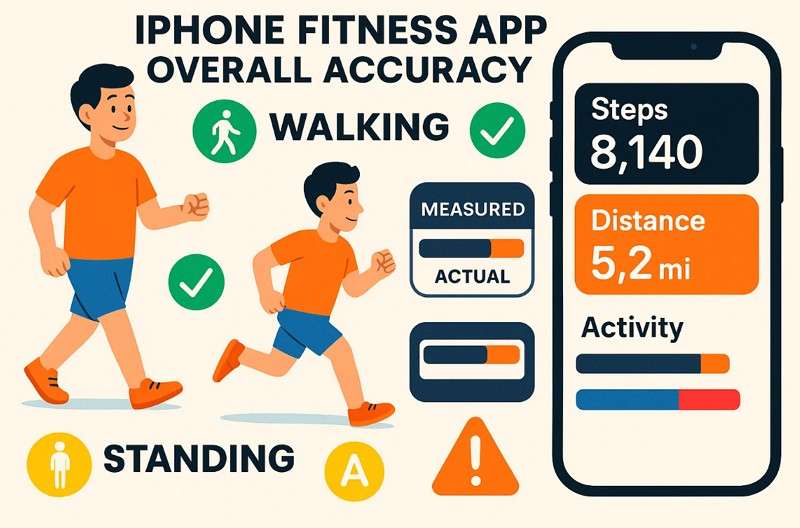
To know whether the Fitness app on iPhone is accurate for everyday activity tracking, especially for step counts and basic movement. Its accuracy drops for distance, calories, and heart rate unless you use devices like Apple Watch or AirPods Pro 3 and set them up correctly.
Additionally, if you want to use it for food calorie tracking, it lacks this functionality. Therefore, you can rely on manual tracking apps like CalBye that can offer you AI-generated calorie count results. It can also work as a Fitness app when integrated with an Apple Watch. Besides, it can seamlessly calculate a value based on the difference between calories consumed and calories burned.
Conclusion
To wrap up, many users ask, How accurate is the Fitness app on iPhone? This guide has been explained in detail. So, review its accuracy for distance, steps, heart rate, and calorie tracking to determine whether you need a better option. Since the Fitness app lacks food calorie tracking, you can rely on CalBye, which syncs with Apple Watch and provides detailed calorie reports from food logs.
FAQs
-
How well does it track standing or sedentary time?
The Fitness app tracks standing hours fairly well when you wear an Apple Watch device. Without a wearable, sedentary time may not be tracked accurately or reflected in the app. -
Can it monitor VO2 max or cardio fitness levels?
With an Apple Watch, the app estimates VO2 max and shows basic cardio fitness levels. The iPhone alone cannot provide VO2 max or accurate cardio measurements without a connected device. -
Does the app give reliable recovery or trend insights?
The app shows simple weekly and monthly activity trends for general progress tracking. Plus, detailed recovery or advanced analytics require third-party apps or wearable devices for accuracy.


