
![Top 6 Weight Loss Tracker Apps [2025]](https://images.wondershare.com/images2025/weight-loss-tracker-01.jpg)

Quick Answer: Weight-loss trackers help monitor food intake, weight, and habits for steady progress. From all the famous options, CalBye stands out with smart charts, nutrition logging, and simple daily tracking.
Steady progress seems much more achievable in your fitness journey when you track every step with purpose. Instead of feeling unsure about your progress, isn’t it better to have a clear image of where you stand? To have this kind of assurance, weight loss tracker apps help create a sense of direction, showing you small wins that matter.
Ultimately, they become a smooth guide that keeps you focused, disciplined, and inspired throughout your fitness venture. Thus, adjust your plan with confidence and choose your reliable tracking partner with the guide below, which covers ranked options.
In this article

Part 1. Who Can Benefit Most from a Weight Loss Tracker?
A weight-tracking app can help almost anyone who wants to lose weight or keep it off, especially those who like a clear goal. It is workable for those who often forget what they ate, or are not sure how much they move in a day. Adults with obesity or overweight can benefit because tracking on a phone is quick and keeps their progress in one place.
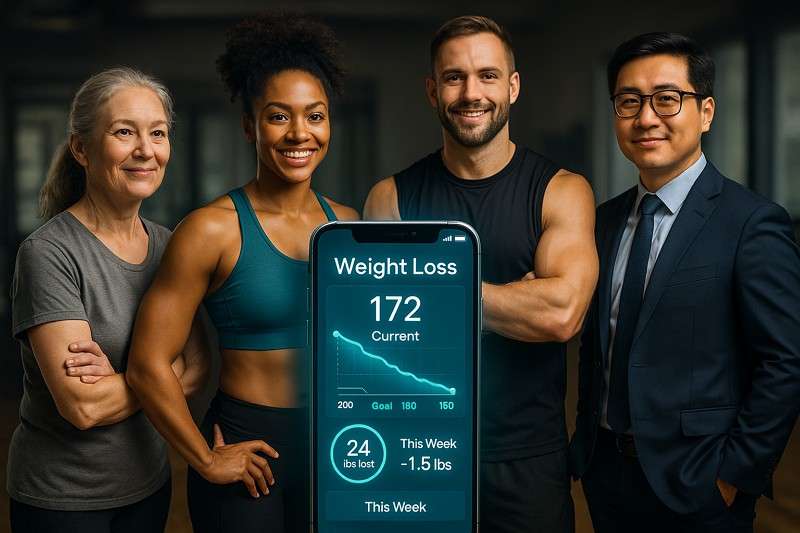
Essentially, people with health problems linked to weight, such as diabetes or high blood pressure, can gain much guidance. Finally, the trackers show how daily choices affect weight and health over time, helping people make better decisions.
Part 2. Weight Loss Tracker Charts: Visualize Your Progress Effectively
For effective use of a weight-loss chart, look at the link or bars over time and check the overall trend. Note that small day-to-day changes and focus on the general directions over weeks, not single-day points. Most importantly, use the chart to spot patterns, and then adjust your food, activity, or sleep based on what you analyze.
Weekly vs Daily Weigh-Ins
| Aspects | Weekly Weigh-Ins | Daily Weigh-Ins |
| Feedback Speed | Slower feedback is better for reflecting bigger weekly changes | Speedy feedback shows even minor fluctuations |
| Motivation Impact | Less stressful as daily changes are not seen | Boosts focus but may create stress over normal fluctuations |
| Trend Clarity | Naturally smoother, easier to view long-term trend | Needs averaging to understand real movement |
| Risk of Over-Focusing | Lower risk of obsession, promotes a relaxed approach | Higher risk of fixation on numbers |
| Best For | People are discouraged by frequent scale changes | Users who prefer continuous data and quick reflection |
Customizable Chart Options
With more control over how your progress is displayed, a weight tracker chart helps you understand your journey at a glance:
1. Time Scale and View
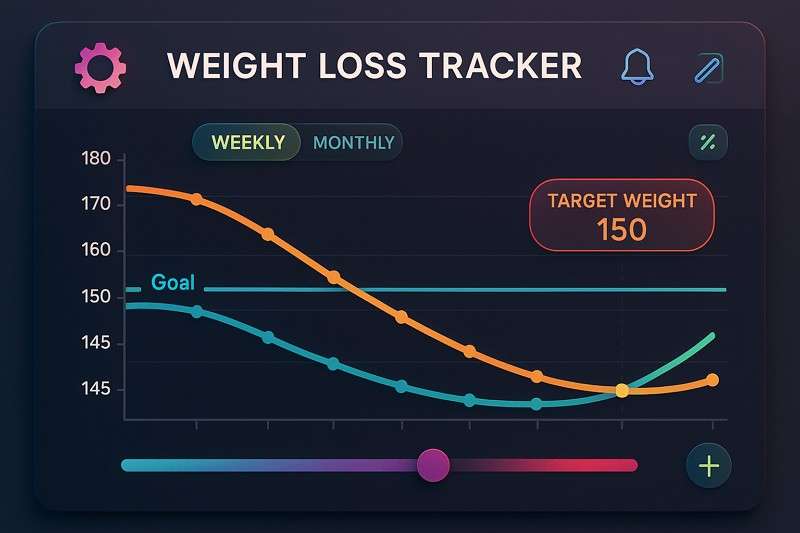
Choose daily, weekly, and monthly views to analyze short-term changes and long-term trends with greater precision. Use Zoom options to avoid cluttered charts and focus on the period you care about most.
2. Goal and Target Lines
Incorporate a line for your main goal weight and smaller milestone goals to see how far you are from each target. More impressively, you can even use horizontal bands or color zones to show progress stages on the chart.
3. Data Types to Include
Track not only body weight but also waist, hip, and other body measurements on the same chart for complete analysis. Add related data, such as calories, steps, and workout time, so you can visually compare input with results.
4. Colors, Labels, and Style
Use different colors for loss vs. gain, or for separate data lines, making the chart easy to read at a glance. Besides this, customize the labels and font size so the chart is readable on both the phone and the printouts.
Part 3. 5 Top Weight Loss Tracker Apps Loved by Users
To make things more manageable, explore the best weight tracking apps, each making monitoring progress simple, yet effective:
1. AI Calorie Counter - CalBye (Android | iOS)
Best Use Case: People who want a visual way to connect their daily eating with changes in body weight.
A most used tracker that logs body weight and daily water intake to analyze what wonders hydration and nutrition make. It stores all past weigh-ins in a timeline, allowing users to scroll back and review how their weight changes. This daily progress and history help you spot plateaus, fat-loss phases, and how consistent you have been. Surprisingly, you can visualize your progress with charts that portray weight alongside calorie balance and nutrient intake.
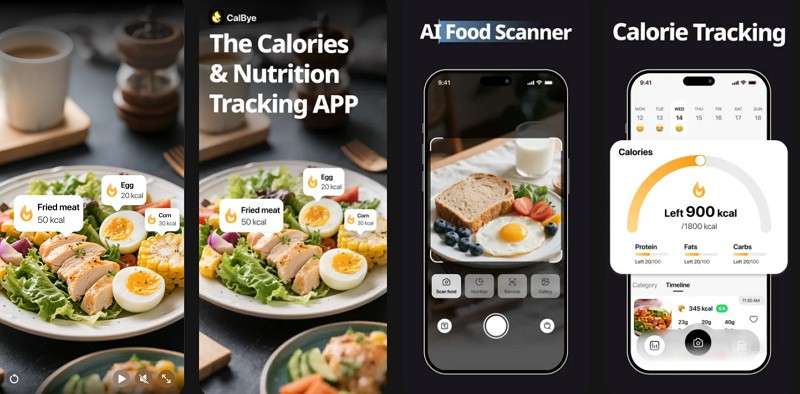
It's a personal, positive-motivation app that enables fitness freaks to set their weight and calorie targets. As your logged data updates, the graphs adjust automatically to show the percentage of the goal completed. Additionally, the integrated dashboard lets you compare "what you eat" with "what happened on the scale" to make smarter adjustments. You're further supported by data-driven AI suggestions to optimize your meals, making your fitness journey more achievable.
Key Features
- Food Recognition Capability: Snap a photo of your meal and get precise AI-estimated portion sizes, calories, and macro insights.
- Provides Personalized Nutrition Details: This fat loss tracker provides users with a detailed breakdown of macronutrients and micronutrients, along with personalized nutritional scores.
- Barcode Scanner Functionality: You’re allowed to scan food barcode labels for clear insights and informed food choices.
- Gives Alternate Food Options: It lets you search for alternatives and add them to your favorites for lunch or dinner.







2. Noom: Weight Loss & Health (Android | iOS)
Best Use Case: For those who want entire health data in one place with psychology-based coaching and visual progress tools.
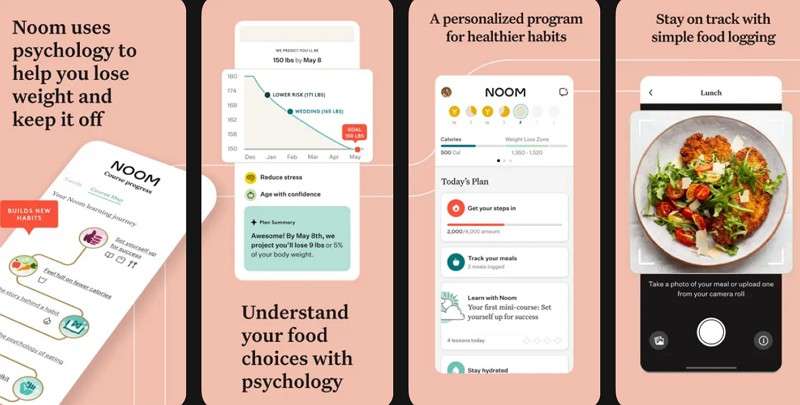
This weight tracker logs weight directly from the home screen or the Health tab, with units that go with your tracking. The regular entries help Noom personalize your calorie weight loss zone while delivering accurate trends. You can access the weight graph and scroll to see all your past weigh-ins in chronological order.
Key Features
- With Noom Body Scan, you can generate a 3D avatar and body composition report.
- Allow setting a goal weight that the app adds to your details to define a target range.
- Users have access to over 1M food items, meal plans, and dietitian-backed recipes.
3. Cronometer: Calorie Counter (Android | iOS)
Best Use Case: Fitness freaks who want detailed, long-term visual tracking of their weight, along with calorie insights.
It records weight as a biometric in your diary, where every weigh-in becomes a structured data point that can be graphed. In this weight-loss goal tracker, you can adjust past entries to keep your history accurate and up to date. Besides, Cronometer allows creating custom charts that plot weight and metrics along axes, revealing the relationship between behavior and results.
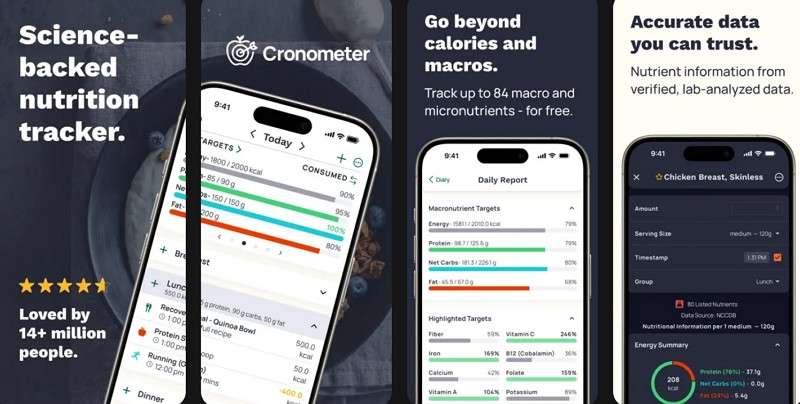
Key Features
- Delivers forecasted date for reaching the goal based on your target weight and rate of change.
- Users can photo log food and get nutrition scores and charts across any timeframe.
- It allows you to print reports and create PDFs to share with your health professionals.
4. Fooducate: Nutrition Coach (Android | iOS)
Best Use Case: It's convenient for those tracking their weight consistently while gaining insights into nutrition and overall health.
This weight-tracking app lets you log your body metrics, with weight as one of the core measurements. Each time you record a weigh-in, the app saves it, enabling you to review your past entries. In your progress section, you can switch between metrics and view them as visual graphs for weeks and months.
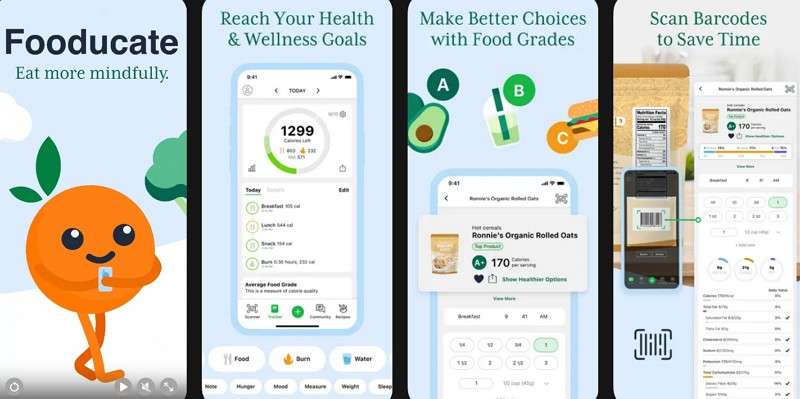
Key Features
- This tracker gives your food grade based on nutritional quality, including processing and ingredients.
- You can adjust your tracking accordingly, set dietary preferences, and define weight/health goals.
- Besides weight logging, it allows options for logging water, sleep, and hunger level.
5. Fitbit: Health and Fitness (Android | iOS)
Best Use Case: The app is best suited for users who desire daily activity, sleep, and body weight data all in one app.
Another weight tracker that allows manual entry of weight and stores weigh-ins, creating the user's complete history. Most importantly, you can scroll through older entries to check and examine when key changes took place. In addition, you can set your weight goals and use the app’s weight and activity views as a fitness planner for comparing current stats.
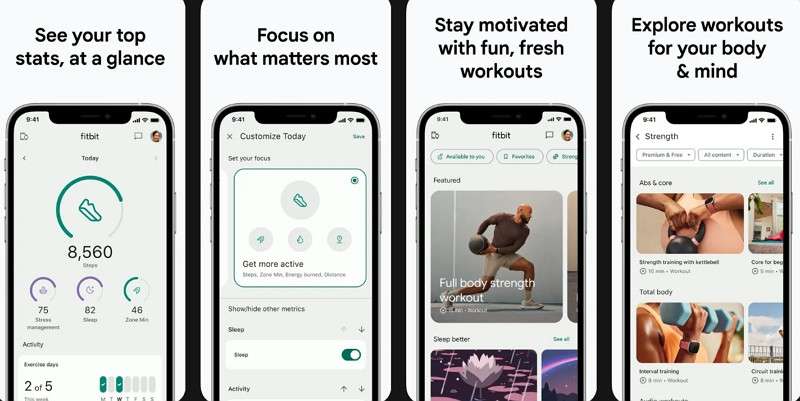
Key Features
- It keeps your nutritional diet in check with easy-to-use tools for setting goals.
- Tracking and logging meals help you see whether you’re getting enough nutrition.
- Daily scores help you distinguish between your rest and recovery times for optimal outcomes.
Part 4. Comparing the Best Weight Loss Tracker Apps to Find Your Perfect Fit
With all the best weight tracking apps discussed above, have an overview of each to help you choose the right one:
| Weight Tracking Apps | Body Weight Logs Option | Weigh-In History | Progress Focus | Visual Representation of Progress |
| CalBye – AI Calorie Counter | Logs weight, meals, calories, macros with AI interpretation | Complete weigh-in history linked to food diary | best correlation between eating habits and body changes | Combined charts for calories, macros, and weight with clear trends |
| Noom | Daily weight logging updates the calorie loss zone | Scrollable list + historic graphs | Focus on goal alignment and behaviour psychology | Line graphs with zoom for weekly and long-term views |
| Cronometer | Weight tracked as biometric in diary | Custom timeframe history in Trends view | Dual-axis charts reveal metabolic response and calorie effect | Detailed progress lines with forecasting and zoom controls |
| Fooducate | Weight added through Health Tracker | My Progress tab displays weight history over time | Connects weight change with calorie quality and nutrition grade | Adjustable charts for calories, nutrients, and weight |
| Fitbit | Manual entry or auto-sync via Fitbit scales | Day-to-all-time trends visible | Weight paired with activity, heart, and sleep metrics | Line graphs with interactive data points |
Guideline on AI Calorie Counter - CalBye for Weight Logging
For precise weight logging and better results, follow the guidelines provided below for CalBye - Weight Loss Goal Tracker:
Step 1. Access the Weight Section
Open your CalBye app and scroll down to access the "Weight" section to update the weight log.
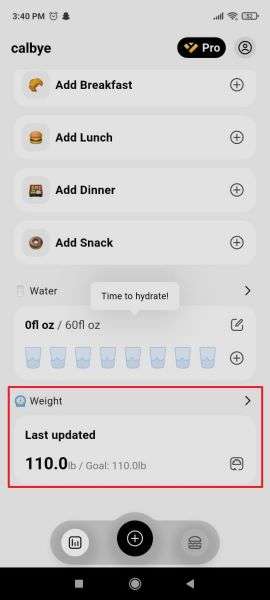
Step 2. Update Your Previously Entered Weight
Once done, press the "Update" button to enter new weight details, then hit "Save" when you're done.
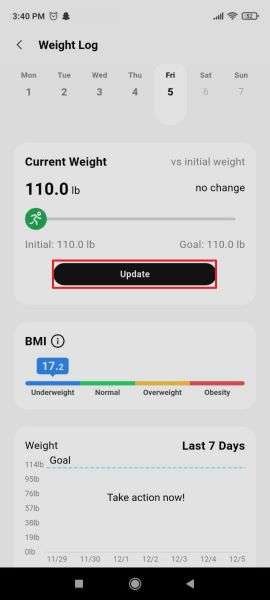
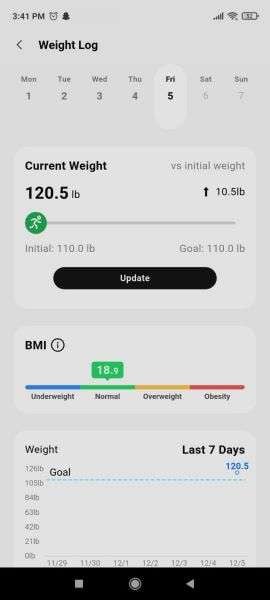
Step 3. Analyze BMI & Your Weight Chart According to Updates
Following this, you'll be able to check your BMI and Weight chart for the last 7 days against the goal.
Conclusion
In conclusion, all the weight-loss trackers discussed in the article serve as your daily guide, helping you stay focused and determined. They turn your fitness journey into clear, actionable insights that keep you motivated even when the results feel slow. Among all, AI Calorie Counter - CalBye offers more goal-focused features, making it easier to monitor and understand weight patterns.
FAQs
-
What is the 3-3-3 rule for weight loss?
The 3-3-3 rule for weight loss is a simple method that helps you build consistent habits without feeling overburdened. It focuses on three actions: eating three balanced meals a day, drinking 3 litres of water, and completing 30 minutes of exercise. Together, these small habits create a sustainable routine that supports steady weight and healthier changes. -
Are 1400 calories enough to lose weight?
1400 calories a day can be enough to lose weight, but it actually depends on your body's calorie needs and metabolism. In general, weight loss works best when you're eating slightly below your maintenance calories, and not drastically under-eating. It's even more critical to ensure you're still getting enough energy to stay healthy while staying in a calorie deficit. -
What is the best weight loss tracker?
Although there isn't a one-size-fits-all solution, CalBye impressively supports weight loss for many. This fat-loss tracker lets users log weight and meals, providing detailed insights into calories and macros.

