
How to Convert PDF to Word on Mac Free on 2024

2024-04-12 10:55:47 • Filed to: Convert PDFs on Mac • Proven solutions
It's often essential to be able to convert PDF to Word on a Mac device, especially if you need to edit your PDF. Even though PDF documents are often the default format for sharing files online unless you have the right know-how or the right software, editing a PDF document can be a challenge. The best course of action is usually to change PDF to Word on Mac. This article offers you a complete guide on how to export PDF to Word on a Macbook, iMac in 6 different ways.
- Method 1: Convert PDF to Word on Mac with PDFelement
- Method 2: Convert PDF to Word on Mac by Preview for Free
- Method 3: Convert PDF to Word on Mac by Microsoft Word
- Method 4: Convert PDF to Word on Mac with Automator
- Method 5: Convert PDF to Word on Mac Free with Google Docs
- Method 6: Convert PDF to Word on Mac Online
- FAQs about PDF to Word on Mac
Part 1. Convert PDF to Word on Mac with PDFelement
PDFelement for Mac is regarded as the best and most recommended option for PDF to Word conversion on Mac. That's because this application has been intricately crafted to help you solve all of your PDF file editing needs with ease, convenience, and flexibility.



PDFelement is a full-featured PDF editor that has solutions for all your PDF problems.
- Superior OCR capabilities simplify the process of transferring any images or scanned PDF files into easily editable and searchable text formats.
- Numerous word document editing features like edit text and image, spell check, line mode, and paragraph mode.
- It allows creating and converting PDF files into any other document format like Word.
- It increased data security features in the form of permissions, passwords, digital signatures, text redaction, and so on.
- It makes it easy to leave comments and notes, and highlight text on PDF files.
- It has a charming and user-friendly interface.
- It supports macOS 10.14 to macOS 14.
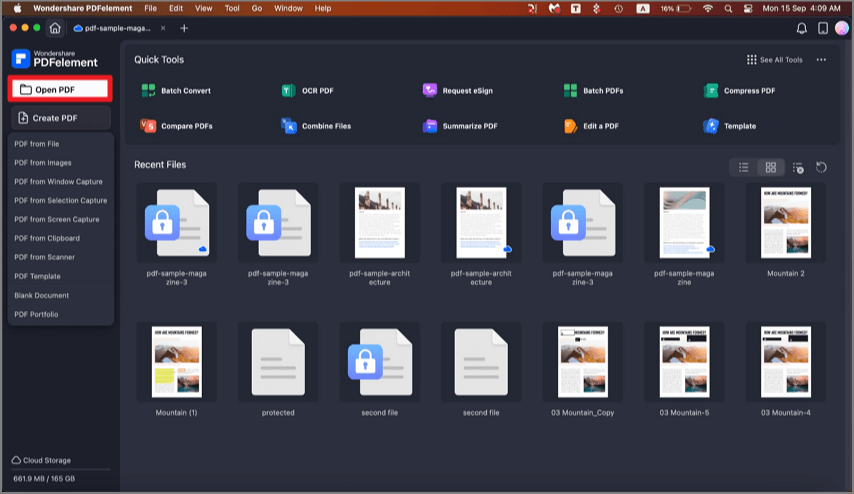
Step 1: Open the PDF
Drag and drop your PDF file into PDFelement's main window to open the file. Or click on the "Open File" button to select and open the PDF.
Step 2: Convert PDF to Word on Mac
Once the file has been opened in PDFelement, click on the "File" button to enable the "Export To" function. You can then click the "To Word" button to choose Microsoft Word as the output format. You can rename the file and select the output folder in the pop-up window. Once you are happy with all the changes, click "Save" and your document will be converted within a few seconds.
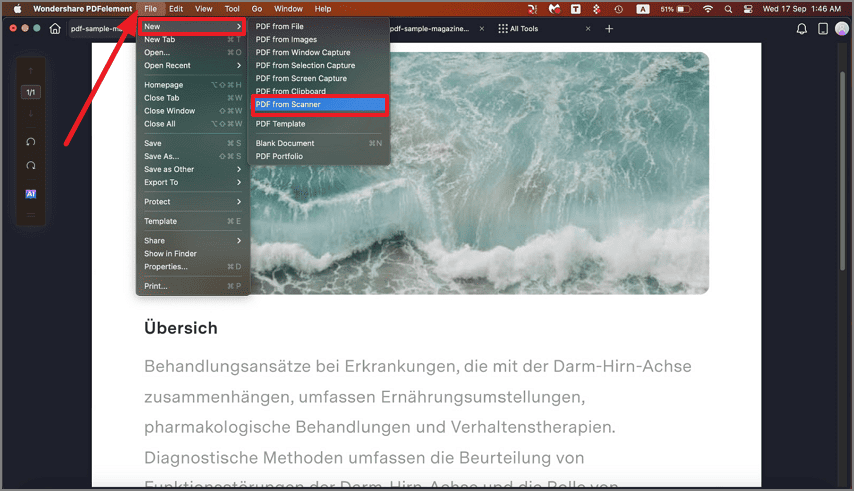
Step 3: Convert Scanned PDF to Word on Mac (Optional)
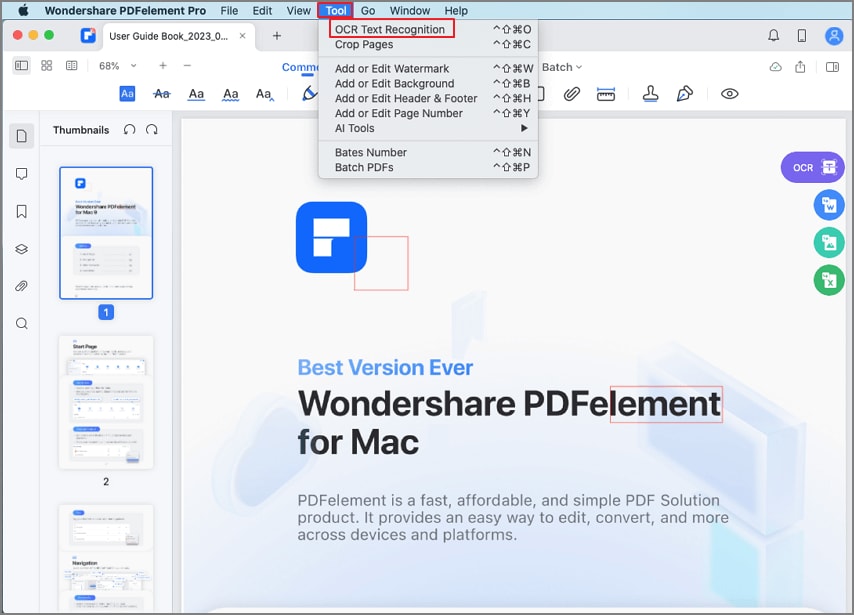
To convert a scanned PDF file, you need to click the "Tool" > "OCR Text Recognition" button on the top menu first. After recognizing the scanned PDF, click on "File" > "Export To" and select "To Word" in the menu bar. Then click "Save" to start the conversion.
Tip: How to Batch Convert PDF to Word on Mac
PDFelement can batch process files to convert multiple PDFs to Word files at a time. Follow the steps to batch convert PDF to Word on Mac.
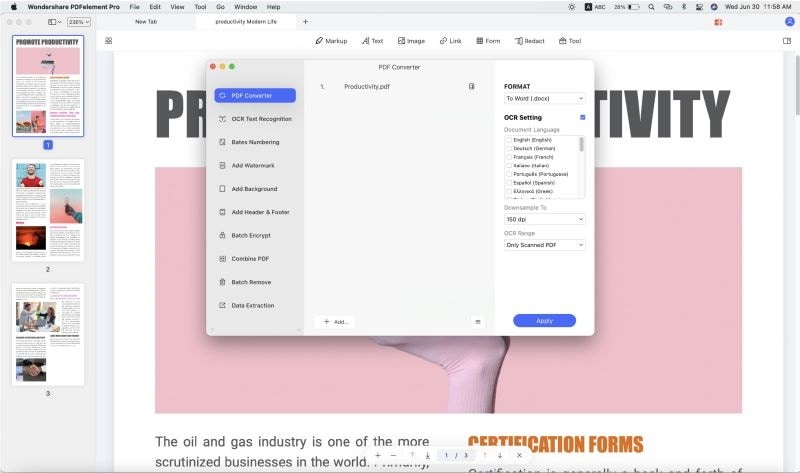
- Go to "Tools" and then click on "PDF Converter" With this option, you will be able to upload multiple files.
- n the PDF Converter window, click on "Add" and select the PDF files that you want to upload. You should be able to upload as many PDF files as possible to the program.
- Next, select the "Word" format on the right panel. Under the format menu on the right are OCR settings if your PDF files are image-based. After all, it is set, click on the "Apply" button.
- On clicking on the "Apply" button, the conversion process will start immediately. Click on the "Finish" button when the files have been converted and open the file with MS Word.
Part 2. Convert PDF to Word on Mac by Preview for Free
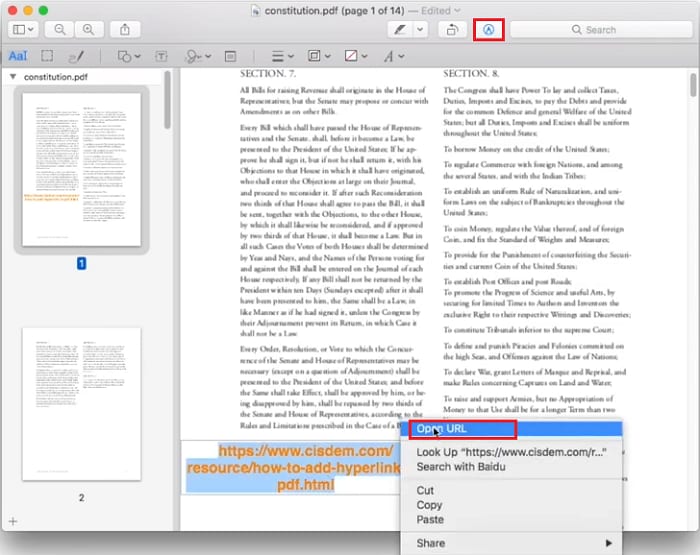
If you don't have a PDF editor or converter on your device, you can use the built-in PDF viewer - Preview - to convert a PDF document to Word. Although Preview cannot directly export a PDF file to a Word document, it allows you to copy and paste the text from the PDF to a Word document. This method might work well if your PDF is text-based and has no complex formatting.
To use Preview:
- Open the PDF in Preview. If Preview is not set as the default PDF viewer on your Mac, you can right-click on the PDF and select "Open With" > "Preview."
- Once the PDF document is opened in Preview, select and copy all the text you need, or use the CMD+C shortcut.
- Open a blank Word document, paste the PDF text into it, and save the document as a .doc or .docx file.
Part 3. Convert PDF to Word on Mac by Microsoft Word
If the PDF you are trying to convert uses simple formatting, you can also try to convert it to Word using Microsoft Word on Mac. However, remember that this method may alter the formatting and is not suitable for complex PDFs.
To convert PDF to Word document with Microsoft Word:
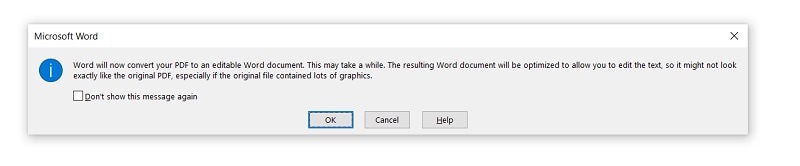
- Launch Microsoft Word, navigate to File > Open, and select the PDF file you wish to convert.
- Microsoft Word will attempt to open the PDF file and will notify you that the converted Word document may not look exactly like the original PDF.
- The PDF will be converted into an editable Word document. If the result meets your satisfaction, save the Word file.
Part 4. How to Export PDF to Word on Mac with Automator
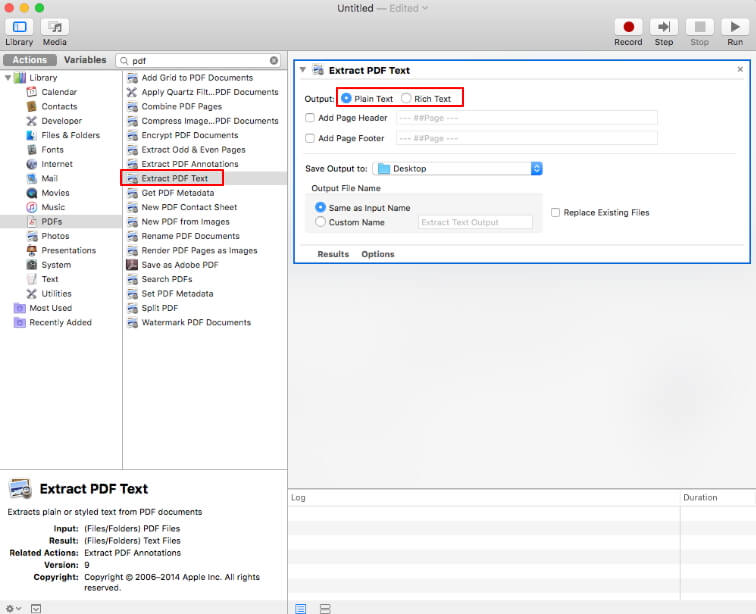
There is also another free method available for Mac users to convert PDF to Word. This is the built-in Mac app, Automator. It can help you convert a PDF file to a plain or rich text format.
- Search for "Automator" in your Application and open it.
- Search for "Extract PDF Text," then select "Rich Text" (RTF) or "Plain Text" (TXT) on the right side to save your PDF. You can also set other options as needed.
- Click the "Run" button, and choose a PDF file to convert to a text document directly.
Part 5. Convert PDF to Word on Mac Free with Google Docs
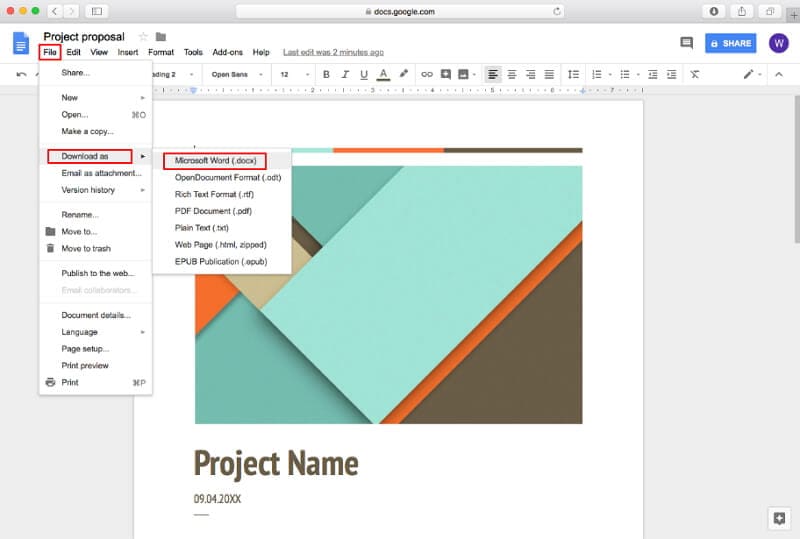
Another option is the widely used program, Google Docs. It can also help you convert PDF to Word Mac free online. Here are the steps to follow:
- Log in to your Google account on the Google Docs website.
- Upload the PDF document that you want to convert to Word.
- Navigate to the "File" tab. Select " Download as" > "Microsoft Word(.docx)" to export your PDF to a Word document.
Part 6. Convert PDF to Word on Mac Free Online [3 Methods]
It's very easy to convert PDF to Word on a Mac using online methods. The following sections explain three different ways to do this using your browser. As such, no software installation is required and you can be done in just a couple of minutes. Let’s look at how the ‘convert PDF to Word Mac online’ process works.
1. Wondershare HiPDF PDF to Word
The first method involves the use of Wondershare HiPDF, a comprehensive suite of online tools to handle PDF files and other document workflows. It’s simple to use, fast, and efficient, and the conversion accuracy in terms of preserving the original content is best-in-class. So, how does it work? Let’s take a closer:
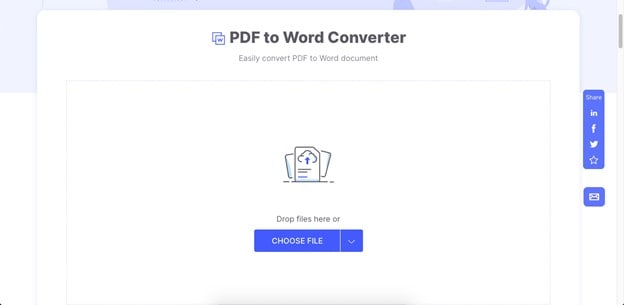
1. Go to the web page for the HiPDF free PDF to Word conversion utility and click Choose File to upload the source PDF document - you can also drop a file into the window or import one from a cloud service such as Google Drive or Dropbox.
2. Once the file is uploaded, click Convert and it will be instantly modified into a Word document.
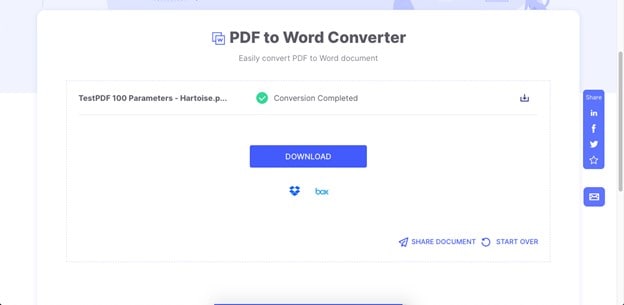
3. Finally, click the Download button or use the sharing option to generate and send a link to others.
2. Adobe PDF to Word Converter Online
Adobe has an equally efficient file conversion service that is free to use for single file conversions from PDF to Word. The interface is user-friendly and the conversion accuracy is excellent. Here’s the process outlined for you:
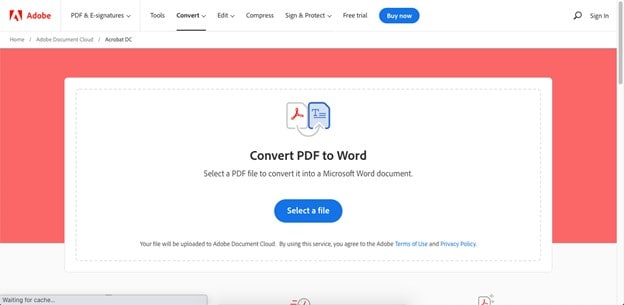
1. Drag and drop a file into the Adobe PDF to Word online conversion URL or use the Select a File option to import it.
2. When the PDF has been uploaded, it will be processed automatically and you’ll see a new window to download the Word file and perform other actions
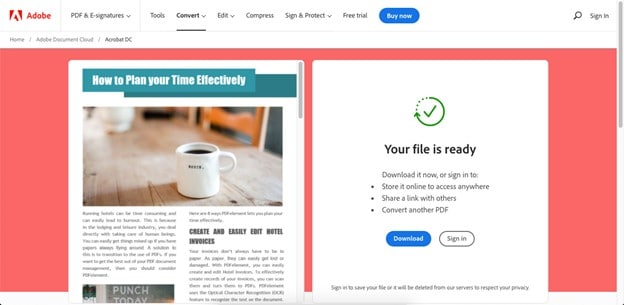
3. Click Download and save the file to a local Mac Finder folder
The only problem with this method is that you’ll need an Adobe account and be signed in to share the document with others as a link, store it online, or put another file in the conversion queue. Nevertheless, if you have just one file to convert, this is a great option to consider.
3. PDF.online PDF to Word
Xodo PDF was a well-known online PDF utility that has undergone some rebranding. It is now simply known as PDF.online but still belongs to the PDFTron brand alongside the desktop and mobile versions of the app. Here’s how to use the service to convert PDF to Word free online.
1. Go to the PDF to Word conversion URL and click one of the file upload options - you can also drag and drop a file, as with the previous two methods.
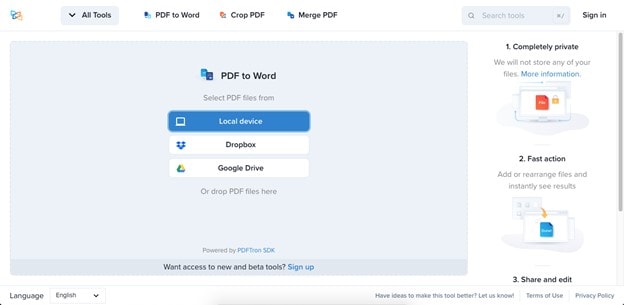
2. On the next page, you can simply click the Convert button or add more files.
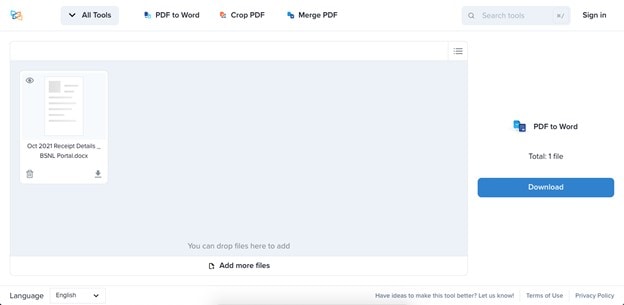
3. Save the converted files to a local folder once the conversion is completed and you see the download option on your screen.
All of these methods are equally effective, but we recommend HiPDF due to the fact that it offers a whole range of other PDF tools as well as a robust desktop PDF editor called PDFelement. Moreover, even if you decide to upgrade to a paid subscription or license, you’ll find that it is much more affordable than most equivalent solutions, especially those from Adobe.
FAQs about PDF to Word
1. Can I Convert PDF to Word on Mac with Preview?
If you are more interested in using a free PDF editor, you can try using Preview. However, despite the fact that it is an inbuilt Mac PDF editor, it tends to fall short when it comes to functionality and features. It allows users to edit, annotate, add images, combine, highlight sections of the text in a PDF file, and convert PDF to JPG, PNG, etc. To convert PDF to Word, you can use the copy-and-paste method to move the content from PDF to a new Word document.
2. How to convert a PDF to Word on a Mac without losing formatting?
You can convert a PDF to Word on Mac without losing formatting by using a reliable and trustworthy converter tool like PDFelement, or Adobe Acrobat. These tools preserve the original layout and formatting of the document while converting it to Word. Another option is to copy and paste the text from the PDF into a Word document, but this may result in some formatting errors.
3. How to convert a PDF to Word on Mac without Adobe
If you don't have Adobe Acrobat on Mac, you can try to use the following method to change PDF to Word.
- Use an Adobe alternative, such as Wondershare PDFelement, or Foxit PDF Editor, which can convert PDF to Word, Excel, PPT, and many other formats.
- Use an online PDF to Word converter, such as HiPDF, or Adobe online.
- Copy and paste text from PDF to Word using Preview.
- Open a PDF document with Microsoft Word or Google Docs to convert it to Word.
Free Download or Buy PDFelement right now!
Free Download or Buy PDFelement right now!
Buy PDFelement right now!
Buy PDFelement right now!
Audrey Goodwin
chief Editor
0 Comment(s)