
How to Recover iPhone Data Without iTunes Backup

Feb 29, 2024 • Filed to: Data Recovery Solutions • Proven solutions
Is it ever possible to recover iPhone data without iTunes backup?
I accidentally deleted several contacts from my iPhone 11 and forgot to back them up with iTunes. Now, I need them urgently, but I’ve heard that there is no way to recover deleted data on an iPhone except through backup. Is that really? Can I recover iPhone data without iTunes backup? Please help! Thanks in advance.
It is really okay to say that iPhone is one of the smartest and most efficient phones available in the market since its launch in 2007. However, there are some little issues that may come up when using this gadget and one of them is losing your data prior to any file backup (either iTunes or iCloud backup). This could be so frustrating and daunting realizing that your important files may have gone forever. Hey! Do not freak just yet. The good news is that Dr.Fone - Data Recovery (iOS) software can help cure this “disease.”
Below are some ways to retrieve iPhone data without iTunes backup
Two ways to recover iPhone data without iTunes backup files
The set of people that will cherish this information so much is those who didn’t back up their files (either in iCloud or on iTunes) on their iPhones before data loss. The only remedy to retrieving the lost data is by running a direct scan on the iPhone. The surest and most reliable iPhone recovery software to use to retrieve iPhone data without iTunes backup is Dr.Fone - Data Recovery (iOS)

Dr.Fone - Data Recovery (iOS)
World's 1st iPhone and iPad data recovery software
- Provide three ways to recover iPhone data.
- Scan iOS devices to recover photos, video, contacts, messages, notes, etc.
- Extract and preview all content in iCloud/iTunes backup files.
- Selectively restore what you want from iCloud/iTunes backup to your device or computer.
- Compatible with the latest iPhone models.


- Part 1: Scan your iPhone - Recover iPhone data without iTunes backup
- Part 2: Download iCloud backup - Recover iPhone data without iTunes backup
Part 1: Scan your iPhone - Recover iPhone data without iTunes backup
The first thing to do to recover your iPhone data is to get Dr.Fone software, download it, and install it on your computer. Run Dr.Fone on your computer and select Recover, then follow the necessary steps below to retrieve your iPhone data without iTunes backup files. These steps are pretty easy to follow with the necessary screenshots to serve as a guide for you.

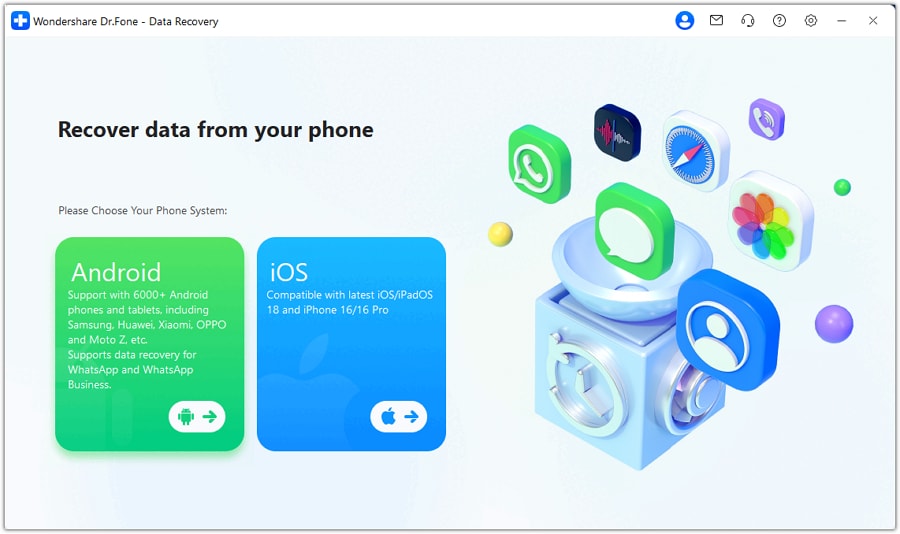
Step 1. Connect your iPhone to scan it
Start by connecting your iPhone to the computer, then run the program. Once your iPhone is detected, you will see the window on the right side of the screen. Then click on the “Start Scan” button to scan for all deleted data on your iPhone. The Dr.Fone dashboard is so easy to understand that is why the majority of people with this challenge opt for it.
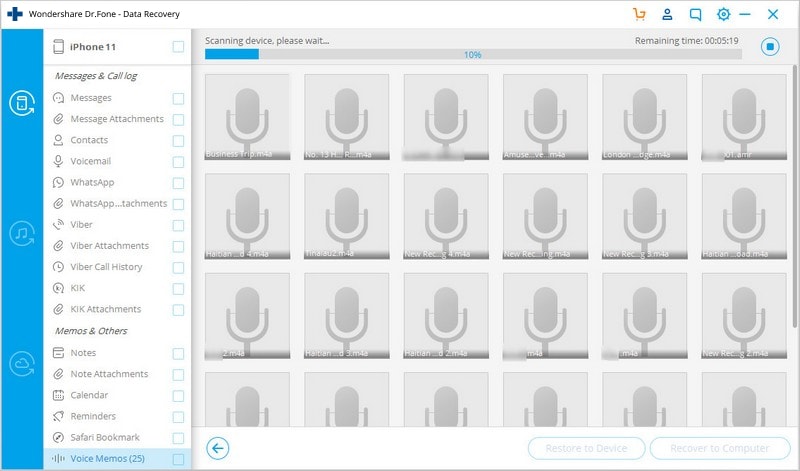
Step 2. Scan your iPhone for deleted data on it
While the scan is going on, ensure that your iPhone is properly connected all the time. Then be patient while the scan is going on. The total time for this scan may vary for different people depending on the amount of data stored in your iPhone. I know the anxiety that follows this whole process just for you to get your data recovered, but I urge you to take some chill while the whole process is being carried out.
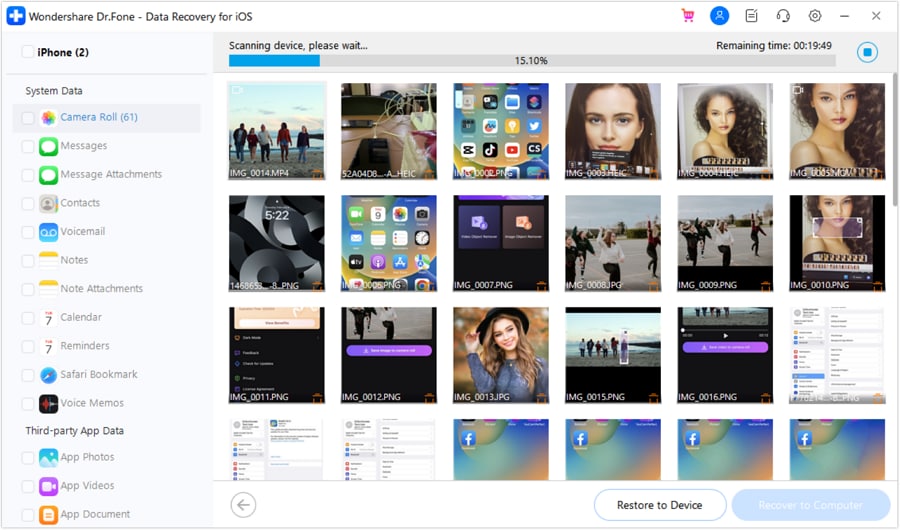
Step 3. Preview & recover data directly from iPhone 11/X/8/7 (Plus)/SE/6s (Plus)/6 (Plus)
Once the scanning is complete, you will see a display of all recoverable data in different categories as shown in the screenshot below. You can preview and select the important data before recovery. Mark the ones you want, then click on the “Recover” button at the right-bottom corner. With just a click, you can save all the data on your computer. You see how simple and easy it is on how to recover iPhone data without iTunes backup?
Part 2: Download iCloud backup - Recover iPhone data without iTunes backup
This is an optional method for users with iCloud account who have already backed up their data to iCloud prior to data loss. For iCloud account users, it is possible for you to retrieve iPhone data without iTunes backup file. Here is how to go about it:
Step 1. Sign in your account to download and extract iCloud backup
Just like the first method, to recover iPhone data without iTunes backup files, you need to run a data recovery software on your computer. The one I will recommend for you any day is Dr.Fone. After running the software, you have to select the recovery mode of “Recover from iCloud Backup File.” Then you can now sign in your iCloud account by inputting your Apple ID and password.
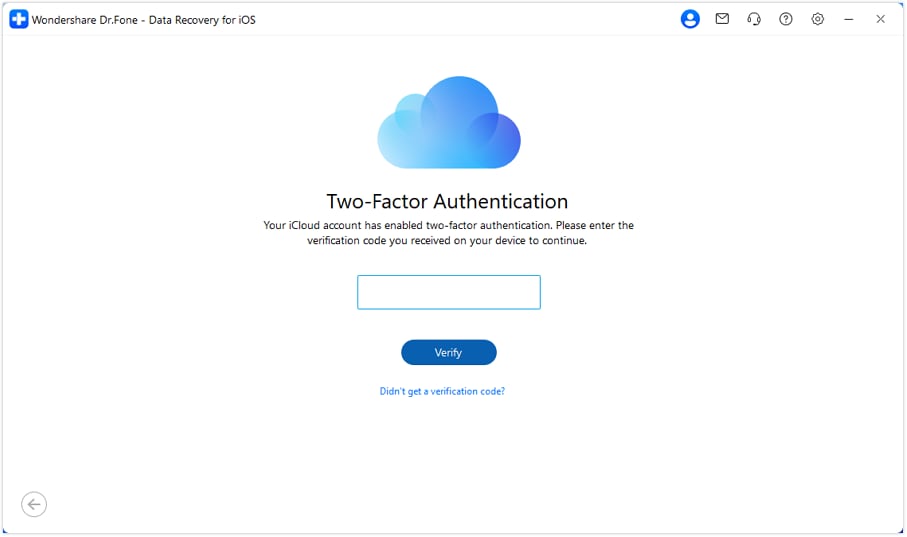
Note: You may find some other data recovery software for this same purpose, but the security challenge you will face is that they may keep record of either your backup content or your iCloud account and this is not good for you. That’s one of the numerous reasons why I recommend the Dr.Fone – iPhone Data recovery for you because it doesn’t take your privacy lightly - Dr.Fone doesn’t keep your backup content or account details, it only saves your downloaded file on your computer.
Step 2. Download and extract your iCloud backup file
After some few time, you will see a display of all backup files in your account. Select the important ones you want to download, and scan to extract them later. With just three click, you can achieve this.
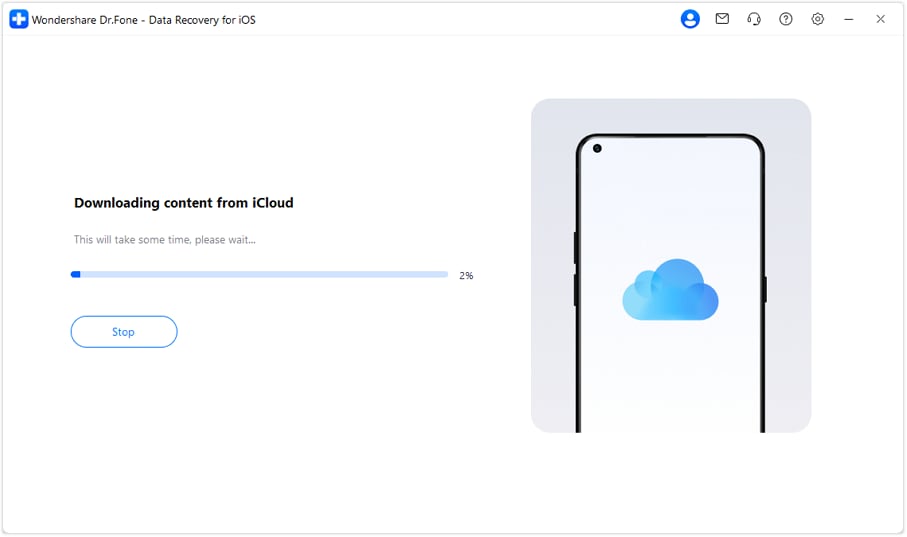
Step 3. Preview & selectively recover iPhone data without iTunes backup
With Dr.Fone, your content in the backup file can be easily extracted. When the scan is finished, you can preview the content one after the other in the scan result as shown on the screen below. Now tick the important ones you want to recover and save them on your computer. These are the simple ways of how to recover iPhone data without iTunes backup files. So whenever you find yourself in this dire situation, you can use Dr.Fone software to help do the wonder for you.
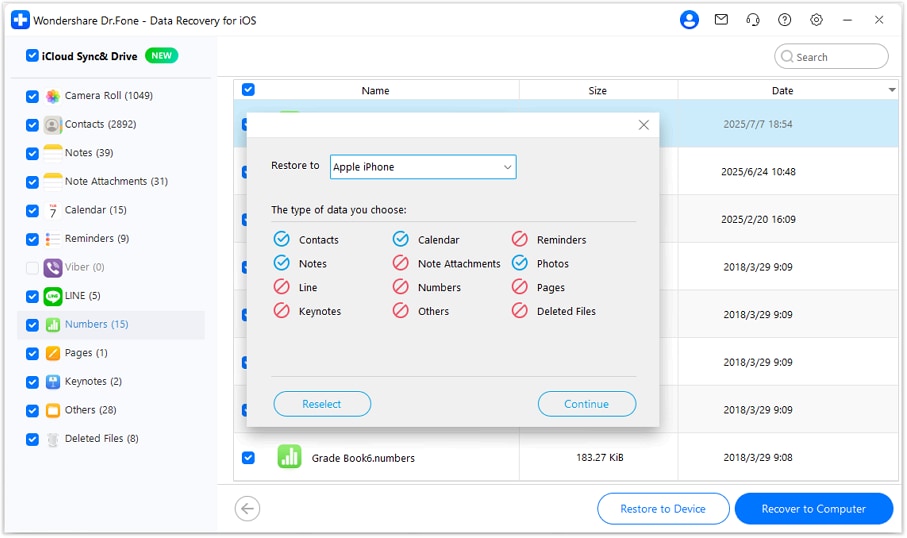
I believe with this great information and software revealed to you, you should have a sense of relieve whenever you lost your iPhone data even without any backup done prior to the loss.


iPhone Backup
- iPhone Data Backup
- 1. Back up iPhone in Recovery Mode
- 2. Back Up iPhone With/Without iTunes
- 3. Back up iPhone to Mac
- 4. Back up iPhone/iPad to Computer
- 5. Back up iPhone to Mac Catalina
- 6. Back up Jailbreak Apps And Restore
- 7. iPhone Backup Software
- 8. Back up iPhone/iPad Easily
- 9. Back up iPhone/iPad in DFU Mode
- 10. Back up iPhone Apps and App Data
- 11. Back up Notes on iPhone and iPad
- 12. Back up iOS to External Hard Drive
- 13. Export Notes from iPhone to PC/Mac
- 14.Back up iPhone Photos to Google Photos
- 15. Back Up Your iPhone Voicemails
- 16. Back Up to External Drive
- 17.How to Back Up to NAS
- 18.Back Up iPhone With Broken Screen
- 19.Back Up iPhone to Google Drive
- 20.Buy Used iPhones
- 21.Sell Used Phone for Cash
- 22.Sell Used iPhone for Dollar
- 23.How Much is My iPhone Worth
- iPhone Data Recovery
- 1. Recover iPhone Data Without Backup
- 2. Restore Calendar on iPhone
- 3. Recover Call History on iPhone
- 4. Recover iPhone Lost Data
- 5. Restore iPhone in Recovery Mode
- 6. Undelete iPhone Backup Files
- 7. Recover Deleted iPhone Messages
- iPhone Data Restore
- 1. Restore iPhone from iTunes Backup
- 2. Restore iPhone after Downgrade
- 3. Restore iPhone from Backup
- 4. Restore iPhone from iPad Backup
- 5. Restore iPhone from DFU Mode
- 6. Restore iPhone Deleted Text Message
- iPhone Backup Problems
- 1. Find iPhone Backup Location on Mac
- 2. iPhone Backup Password Never Set
- 3. iPhone Backup Password Forget
- 4. iCloud Backup Taking Forever
- 5. iPhone Won't Backup to iCloud
- 6. iTunes Won't Backup iPhone
- iPhone Restore Problems
- 1. iTunes Stuck on Verifying iPhone
- 2. Not Space to Restore iPhone Backup
- 3. iTunes Backup Not Restoring
- 4. iPhone Won't Restore
- WhatsApp Backup & Restore
- 1. WhatsApp from Google Drive to iOS
- 2. Restore Old WhatsApp Backup
- 3. Restore WhatsApp Chat on iPhone
- 4. Retrieve WhatsApp Chat History
- 5. See Deleted Messages on WhatsApp
- 6. Restore WhatsApp Stuck on iPhone
- 7. iPhone WhatsApp to Google Drive
- 8. Back Up WhatsApp on iPhone
- 9. Backup WhatsApp Data before Changing Number
- iPhone Backup Tips
- 1. Extract Data From iPhone
- 2. Encrypt iPhone Backup
- 3. Reset iPhone Backup Password
- 4. Extract iPhone Backup in Win 10
- 5. How Long take iPhone to Backup
- 6. Find iPhone Backup Location
- 7. iPhone Backup Password
- 8. View iPhone Backup on Computer
- 9. iPhone Backup with iTunes/iCloud
- 10. iPhone Backup Unlockers
- 11.How To Encrypt iPhone Backup
- 12. Best Backup Chargers for iPhone
- 13. Speed Up Your iPhone Backups
- 14. Save Data When iPhone Disabled
- 15.Check Last Backup on iPhone
- ● Manage/transfer/recover data
- ● Unlock screen/activate/FRP lock
- ● Fix most iOS and Android issues
- Back up Now Back up Now Back up Now


Selena Lee
chief Editor