
wondershare | Streaming Audio Recorder
The Best Streaming Audio Recorder with High Quality
A real-time digital audio recorder that records any audio source that’s automatically detected on your computer.
A real-time digital audio recorder that records any audio source that’s automatically detected on your computer.
The Innovative audio recorder enables you to record audio from more than 1000 online music resource which complies with the copyright Laws. The recorder is 100% legal to use, allow you to enjoy internet radio, records your favorite tracks legally from music stations for free for personal use.

The recorder supports multiple online sources like YouTube Music, Spotify, Pandora, Apple Music,Google Play Music, Yahoo Music,Deezer, and many others to record music with just a single click.

The recorder supports variety of Radio and Podcasts like AOL Radio, Sound Cloud, NPC, iHeartRadio, RTVE, 8 Tracks, RDIO, iTunes Radio, BBC Radio Audio, and many others.

The audio recorder also supports call recording through Skype, and also recording of voice messages through WeChat or Facebook.

Additional support includes iTunes playlist, Video to audio, Movie to audio, TV Show to audio and any other audio that can be played on your system.
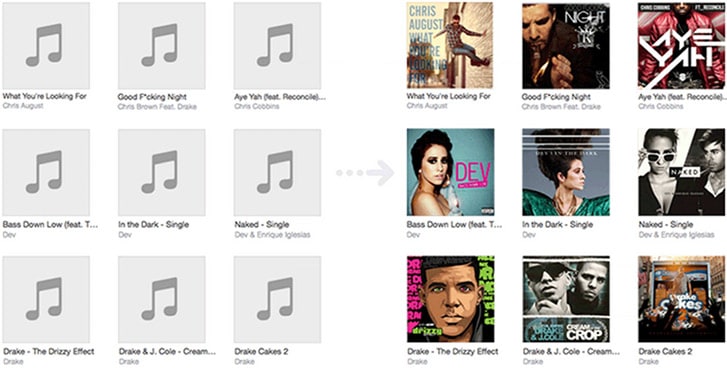
It is an easy-to-use tool in order to Fix ID3 Tags automatically. The recorder can fix various information of the recorded audio like title, album, year, artist, genre and even cover.
It is also capable of identifying the music files in batches so that you can save your time while editing them and do not have to do it one by one.
It is one of the best ID3 TAG EDITOR that allows you to perform variety of functions like manually editing the tags, editing the metadata, adding and deleting ID3 tags in MP3 files, renaming files, and replacing characters. Single file as well as batch is also supported.
With this audio recorder, you simply have to do the settings and the rest of the audio recording process will be done automatically. So simply set up the process and carry on with your other tasks and when you will be back, a recorded list of your favorite tracks will be ready for you on your system.
The Audio Recorder will start recording and split the tracks automatically


This top-quality audio recorder is a powerful program. Though the steps of recording audio are simple but it ensures that you get great audio sounds with high fidelity. The recorder makes use of virtual sound card in order to record audio to MP3 or M4A with high quality.

The recorder is capable of intelligently filtering out all the ads that are played during the recording process. You simply have to do the settings and rest will be done automatically. A recorded list of your favorite tracks will be ready for you in just some time.

It allows burnning CDs easily,Select your favorite Recorded Music and the burning programs will help to a personal audio CDs for you.Suitable for home users and company users to burn files or dirs to a data CD.

The recorder is capable of recording the audio files to iTunes and can also create various ringtones.

The audio recorder can also record various online audio to MP3 (*.mp3) or M4A (*.m4a), which are fully compatible with variety of devices like iPod, iPhone, iPad, Android devices ( smartphone and tablets), MP3players and others.
Using this recorder, you can manually split the audio files for various customization and other tasks. With just few clicks you can create your own ringtone from your favorite tracks and can even customize them.
 Click "Record" button to start your recording.
  Smart Audio Recorder recording now.
 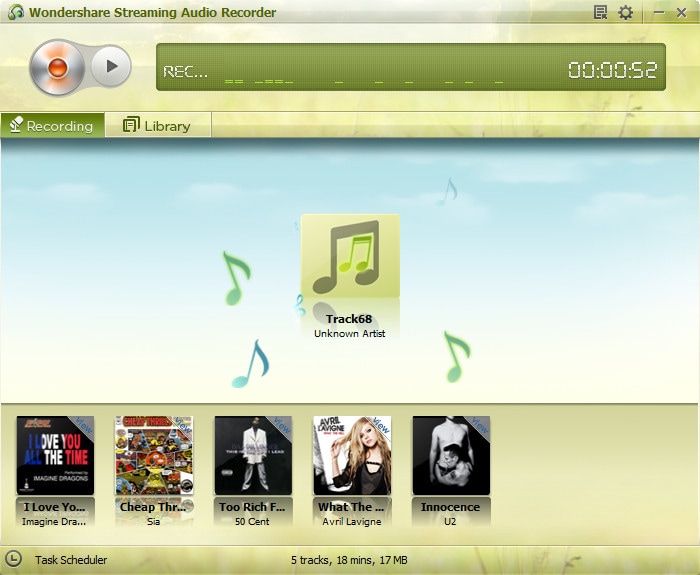 Smart Audio Recorder can split tracks automatically .
  Smart Audio Recorder fix id3 tag for all the recorded songs automatically
 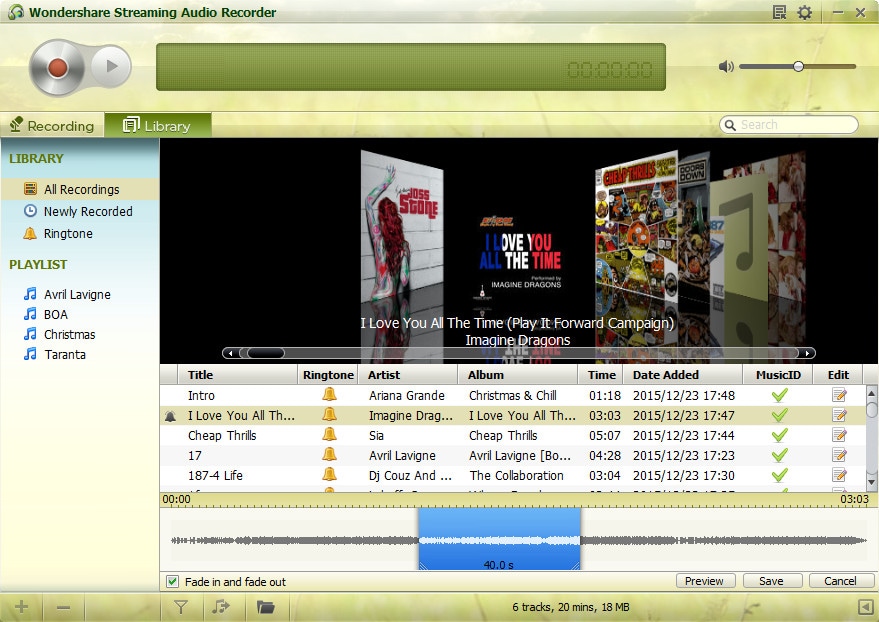 Best Audio Recorder can creat customized ringtone from your favorite songs.
I have been using this for two weeks and after a iTunes up date I can no longer send songs to iTunes, tried and contact wondershare but no reply ? does anyone know of an update ?
Works like a charm! Now I don''t have to listen to the same children''s music CD over and over again in my car. Thanks!
Excellent program. I need to say no more. All of Wondershare''s products are excellent. I tried many others & they don''t come close to Wondershare.

We value your privacy and protect your financial and personal data with full encryption and advanced fraud protection.

Knowledgeable representatives available to assist you through instant live chat – any time of day or night.

Try before you buy with a free trial – and even after your purchase, you're still covered by our 30-day guarantee.
Create amazing videos easily using Filmora's wide range of powerful editing tools.

dr.fone Reinventing together. Your ultimate stop for digital solutions.

Get Control Over PDFs Like Never Before.
The Most Powerful Video Converter Ever in the market.
